

index.html and style.css (plus the shared stylesheet), and render with the CLI or any @formepdf/html entry point:
Billing & Finance
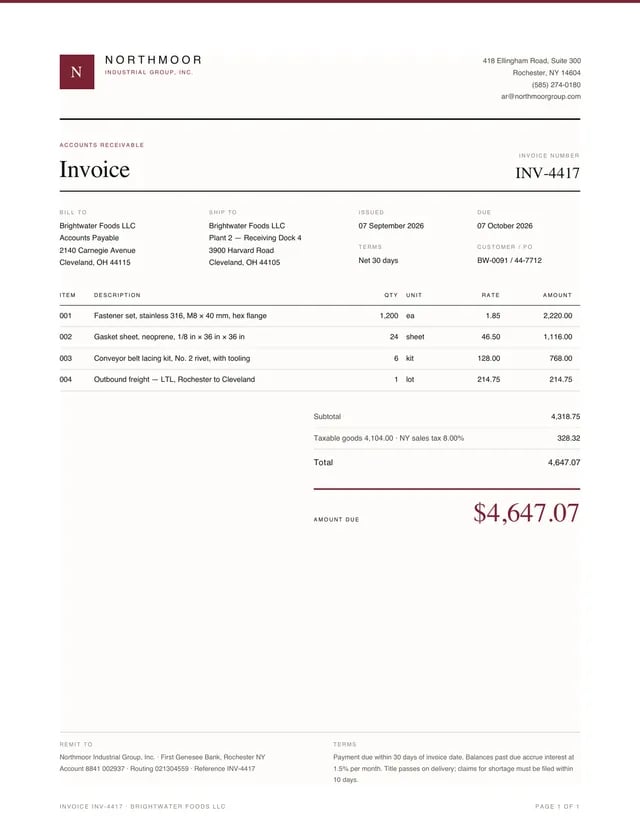
Standard Invoice
A one-page standard invoice in the Northmoor document system: masthead, four-column meta grid, itemised table, totals stack and an accent amount-due block.
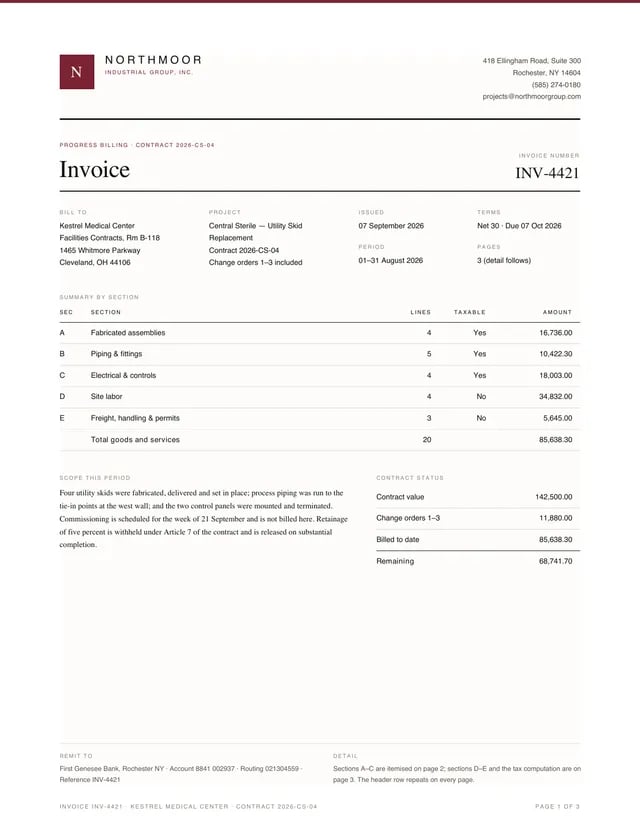
Detailed Invoice
A three-page progress-billing invoice with grouped line-item sections, section subtotals, a carried-forward/brought-forward pair at the page 2/3 boundary, and a retainage-and-tax totals stack.
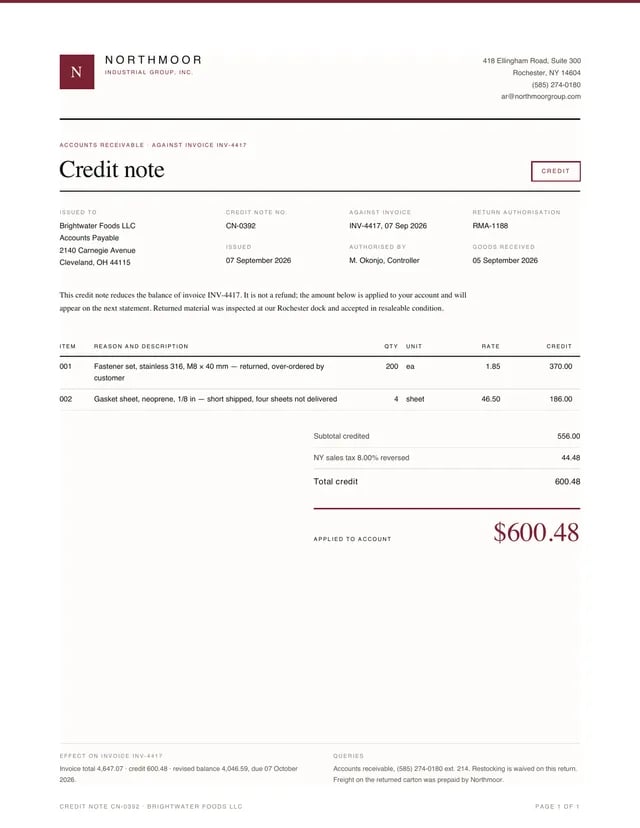
Credit Note
A credit note issued against an invoice, with a Credit stamp, reason-coded credit lines and a tax-reversal totals stack.
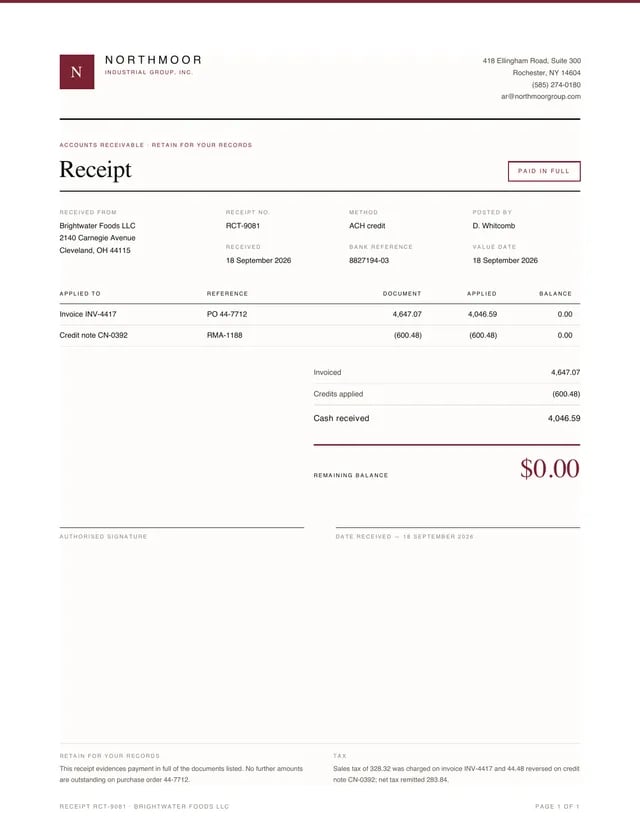
Receipt
A payment receipt showing cash applied across an invoice and a credit note, closed by a Paid-in-full stamp and a zero remaining balance.
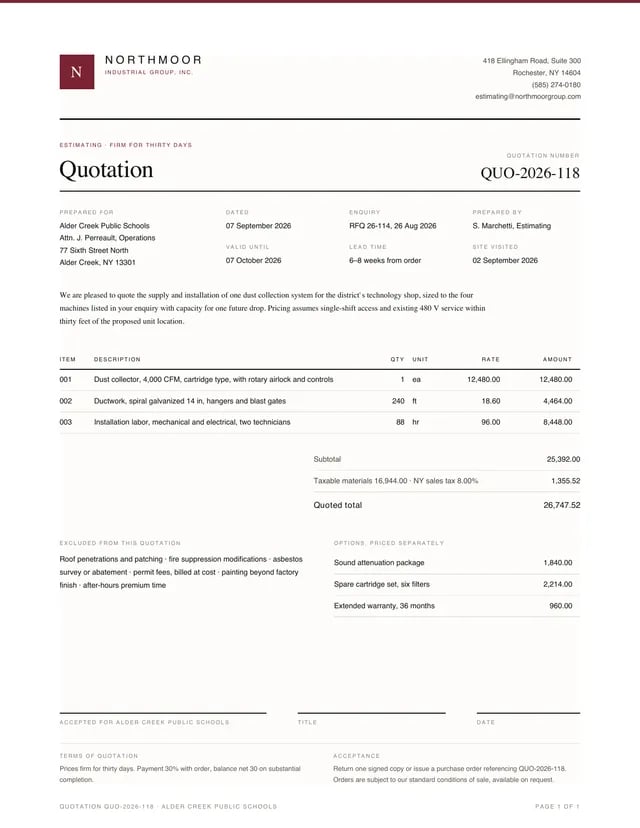
Quote
A single-page quotation with an intro paragraph, itemised pricing, an exclusions column beside separately-priced options, and a three-slot acceptance signature row.
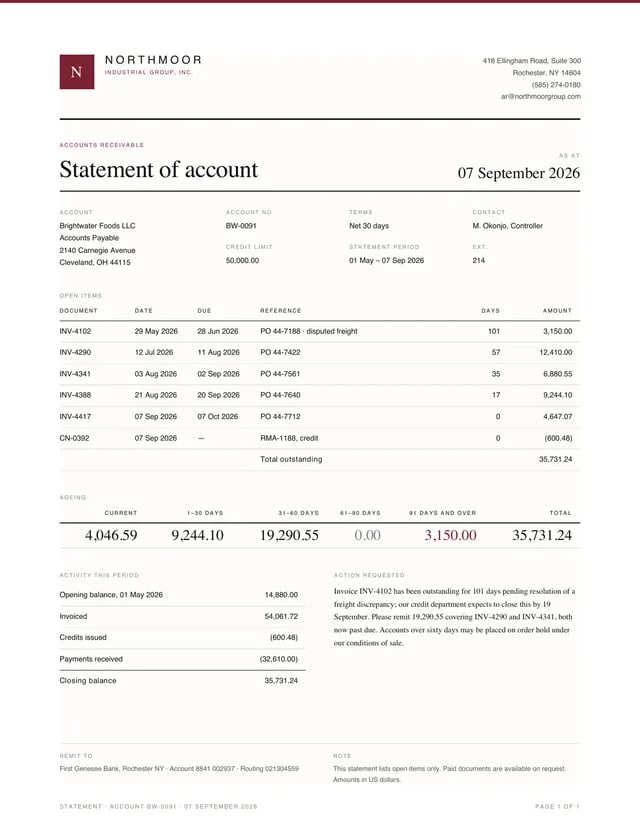
Statement
A statement of account with open items, aged buckets (oldest bucket in the accent, per the system’s accent policy), and an activity summary that must close to the same total the buckets sum to.
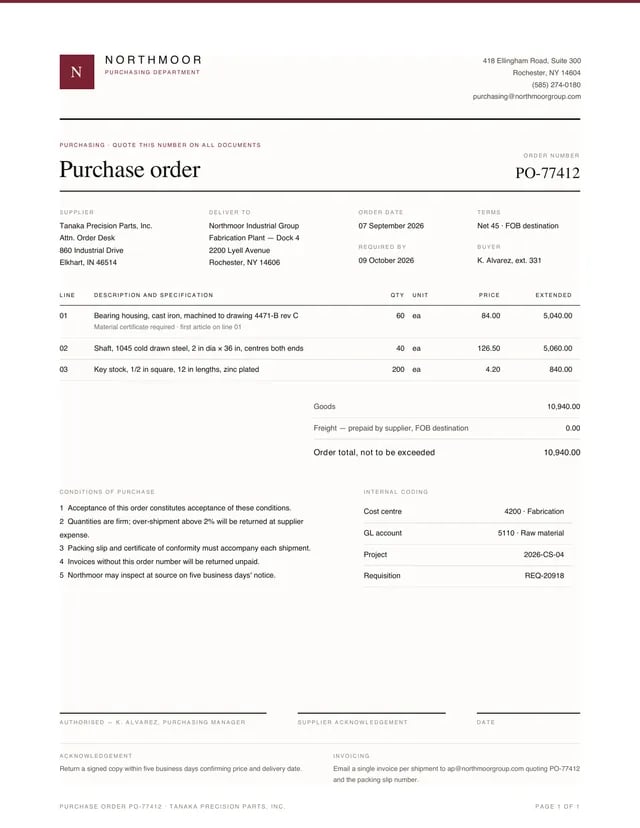
Purchase Order
A purchase order with delivery and coding blocks, numbered conditions of purchase, and a three-slot authorisation row.
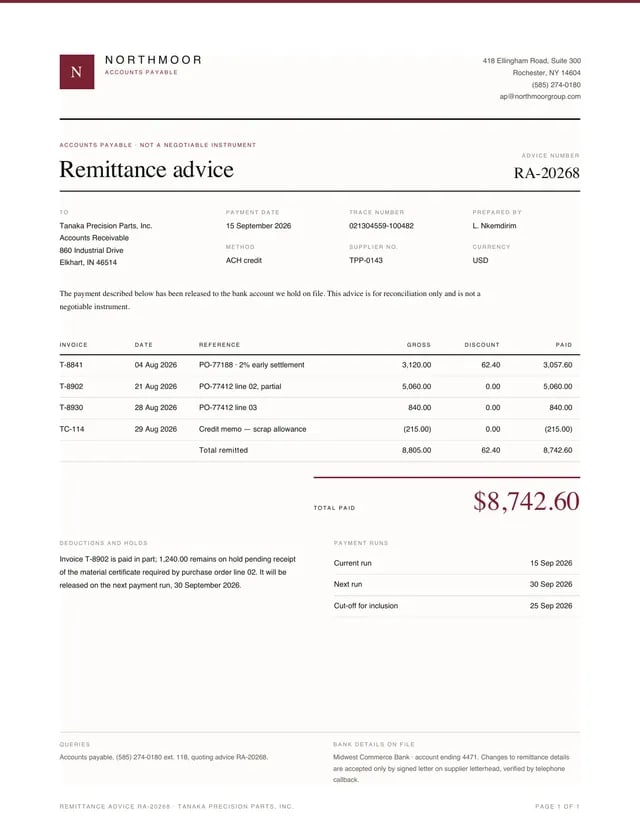
Remittance Advice
A remittance advice listing invoices paid, discounts taken and a credit memo, with a holds column explaining short payment.
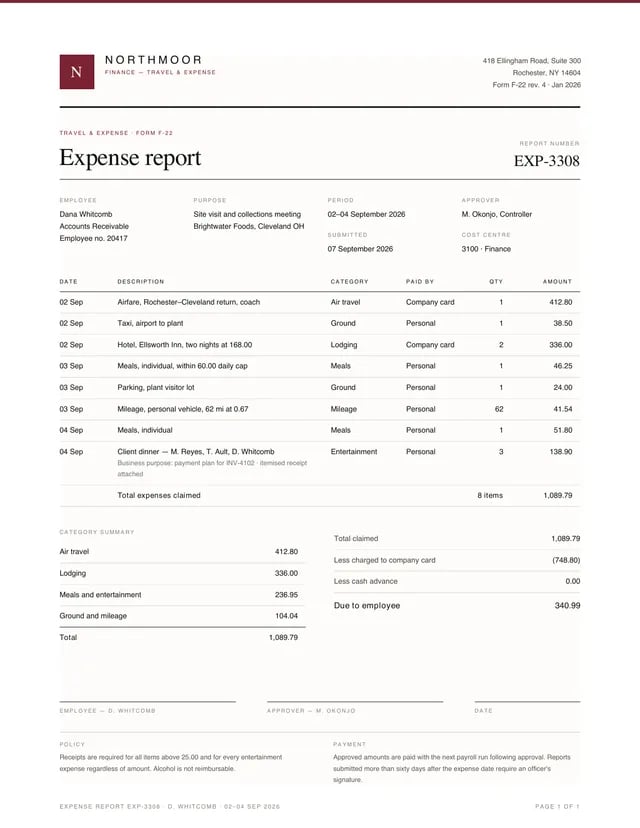
Expense Report
An expense report with an itemised claim table, category summary, and a settlement stack that nets company-card charges against the claim.
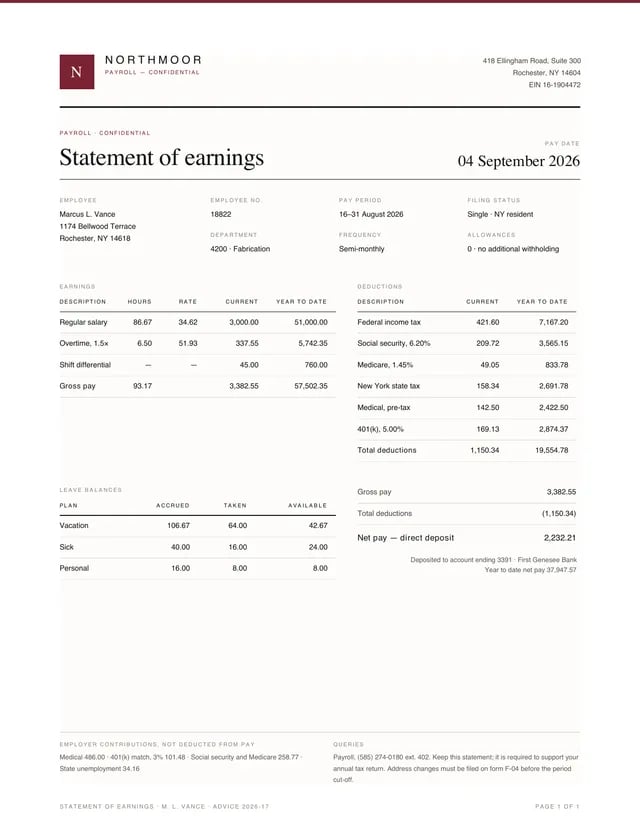
Payslip
A semi-monthly statement of earnings with side-by-side earnings and deductions tables, leave balances, and a net-pay stack with the deposit note.
Correspondence & Legal
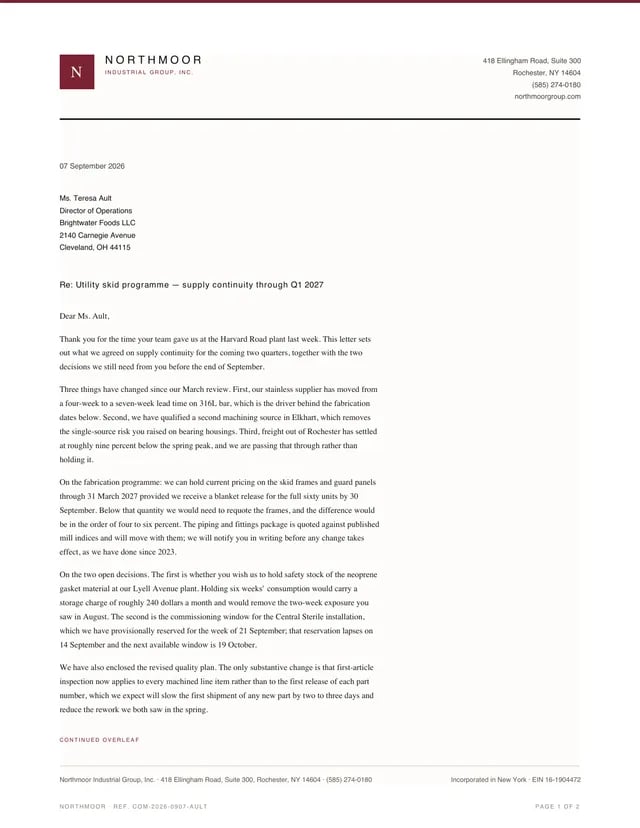
Letterhead
A two-page business letter demonstrating the system’s letterhead: full masthead and accent head rule on page one, a running header on the continuation, and a schedule table whose programme value totals the four releases.
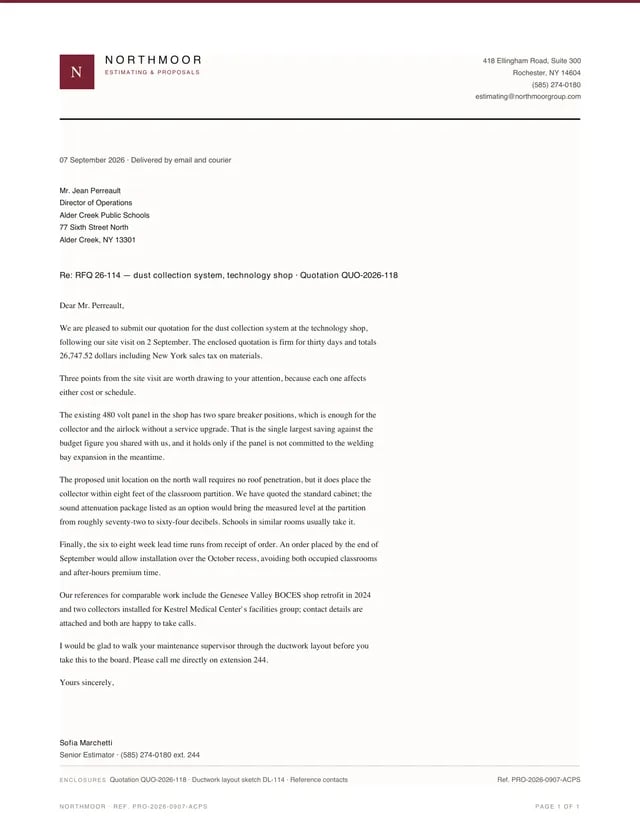
Cover Letter
A one-page quotation cover letter on the estimating masthead, with the quoted total and decision points carried in prose rather than tables.
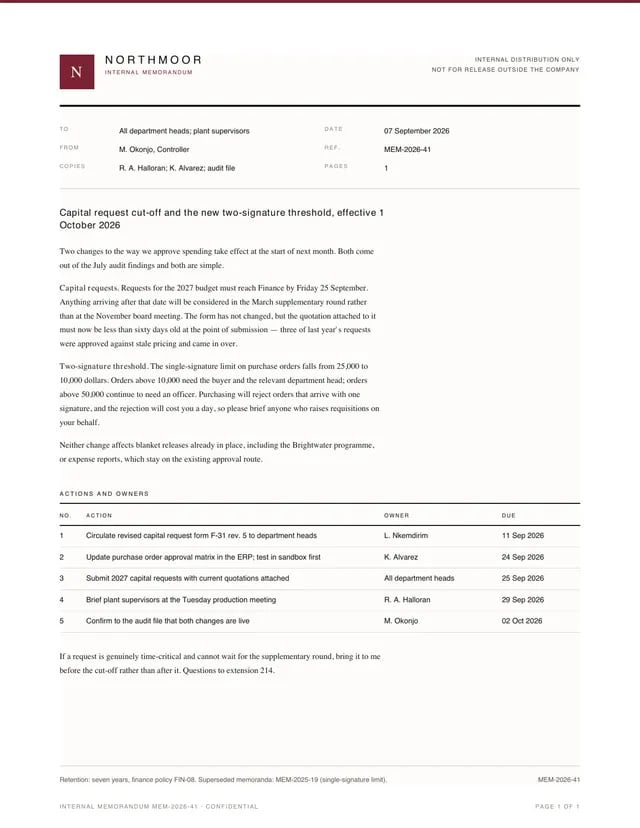
Memo
A one-page internal memorandum: To/From/Ref grid, bold subject, short prose, and an actions-and-owners table with due dates.
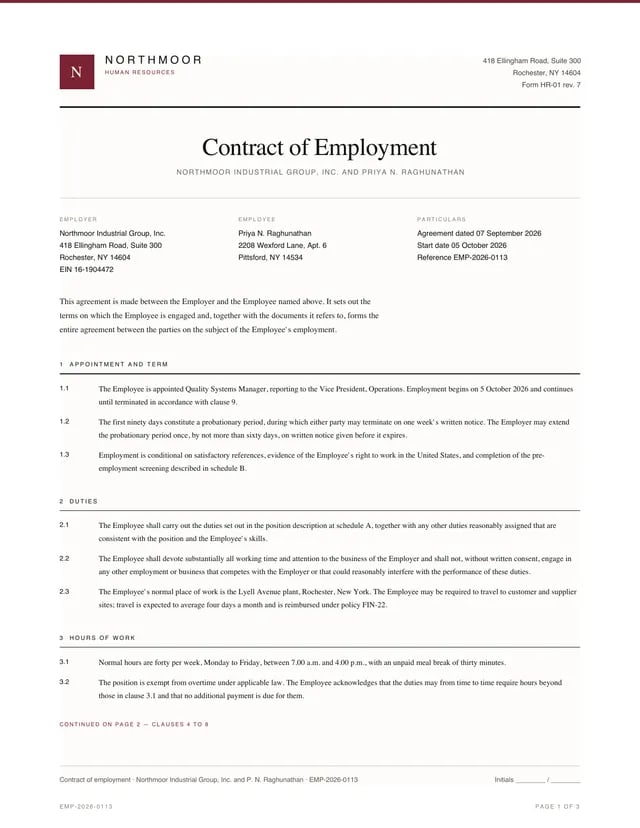
Employment Contract
A three-page employment contract with thirteen numbered clauses grouped 1–3 / 4–8 / 9–13 by deliberate page breaks, an execution block that never separates from its closing text, and an Initials line in every page’s footer.
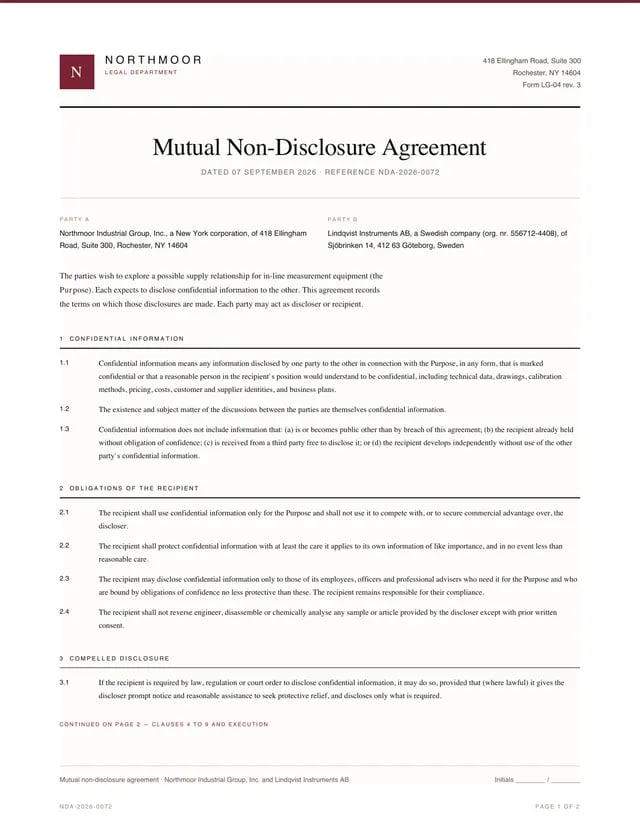
Mutual NDA
A two-page mutual non-disclosure agreement with nine numbered clauses grouped 1–3 / 4–9 by a deliberate break, an execution block kept whole with its closing line, and Initials in both page footers.
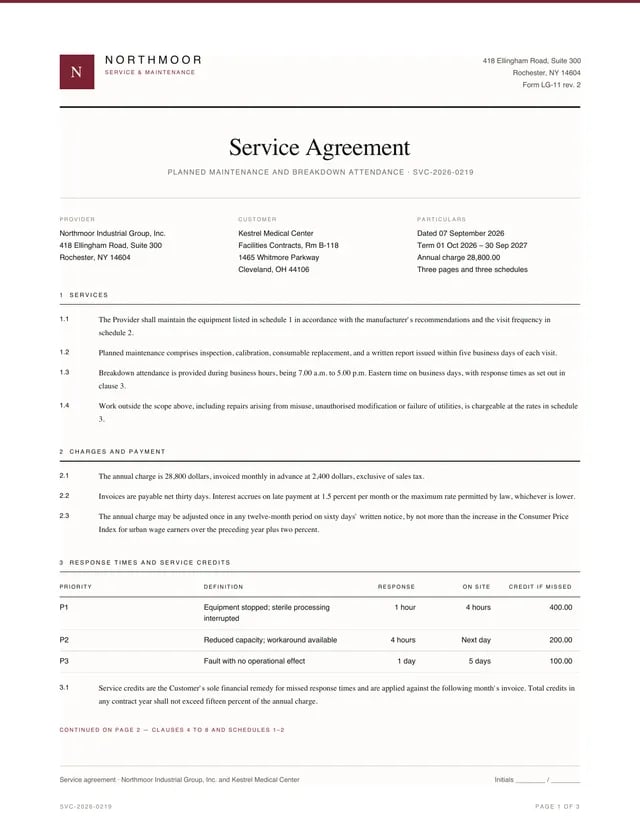
Service Agreement
A three-page planned-maintenance agreement: clauses 1–3 with the response-time table on page one, clauses 4–8 plus schedules 1–2 on page two, and schedule 3 with the execution block on page three — the break points the design names, made with break-before: page.
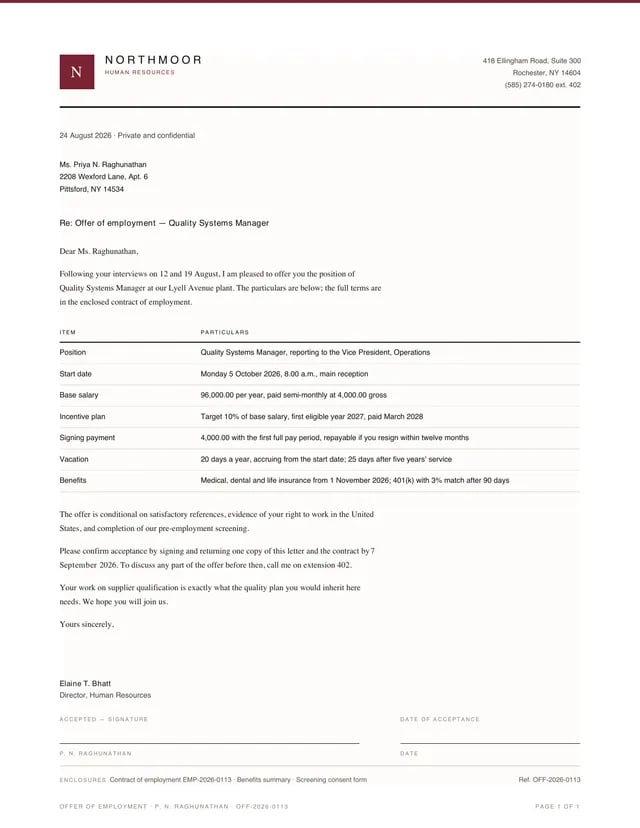
Offer Letter
A one-page offer of employment: letter prose around a two-column particulars table, the HR signatory, and an acceptance signature pair whose two captions never repeat the same word.
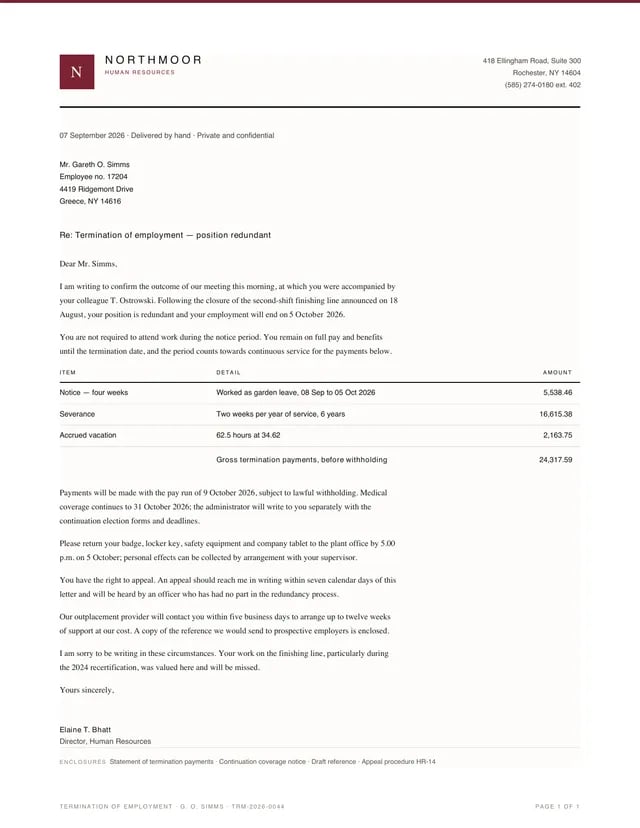
Termination Letter
A one-page redundancy letter with a three-row termination-payments table whose gross total is the sum of its rows (24,317.59 in data.json).
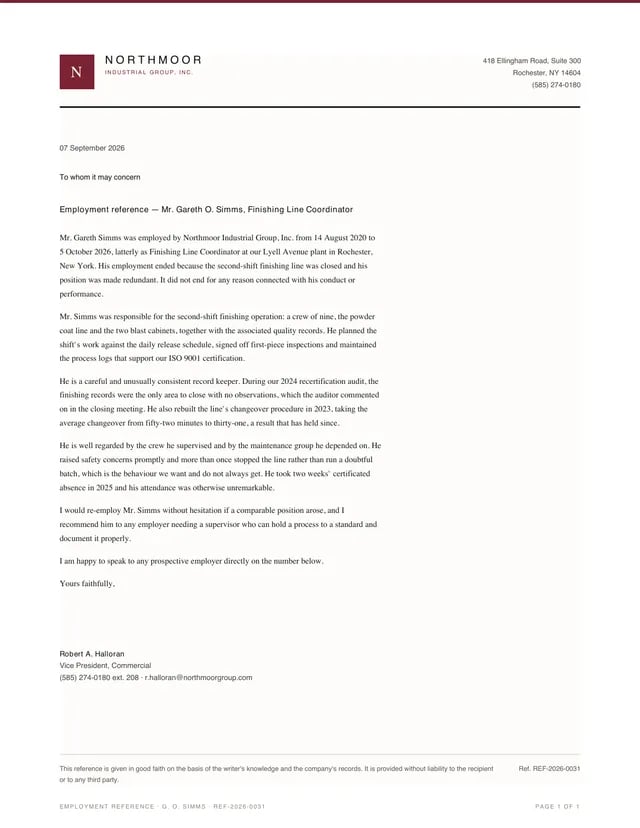
Reference Letter
A one-page employment reference in pure prose: dates of service, responsibilities, two concrete achievements, and an unqualified re-employment statement, closed by a good-faith disclaimer in the footer.
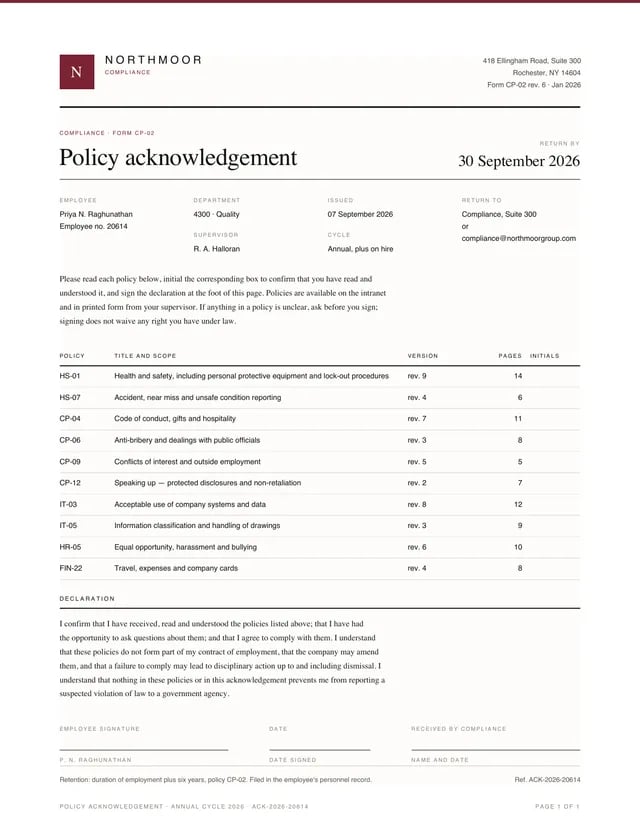
Policy Acknowledgement
A one-page compliance form: document head with a return-by date in the reference slot, a ten-policy table with an empty initials column, a declaration, and three signature slots whose captions never repeat.
Reports, Logistics & Certificates
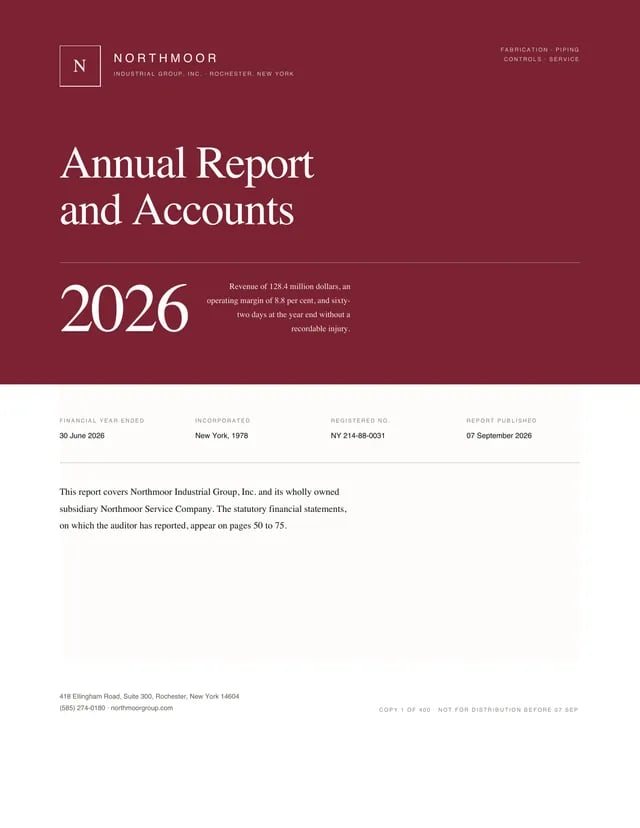
Annual Report
The annual report excerpt: a full-bleed accent cover with the monogram knocked out in outline, a dot-leader contents page, and a financial-highlights page whose income statement reconciles top to bottom.
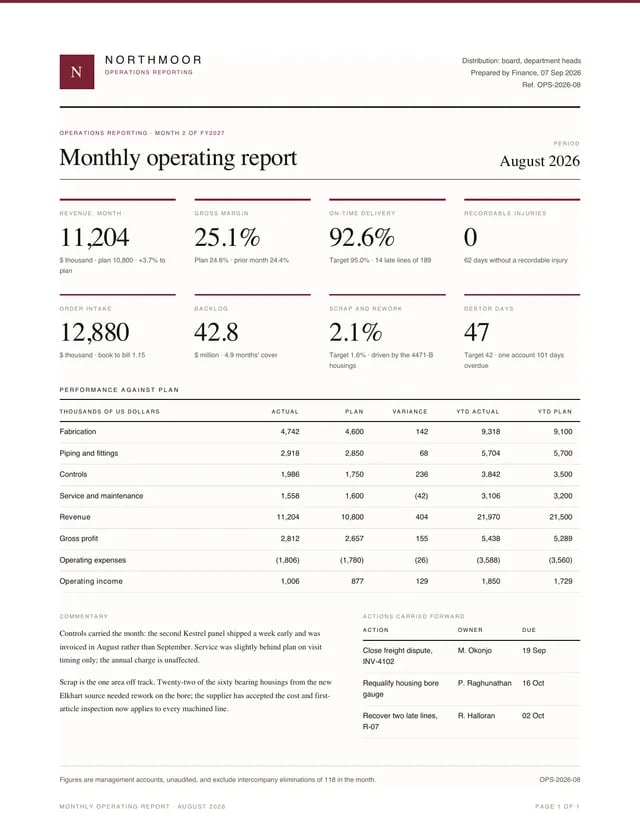
Monthly Report
The monthly operating report: eight KPI blocks over a performance-against-plan table, commentary, and carried-forward actions with owners.
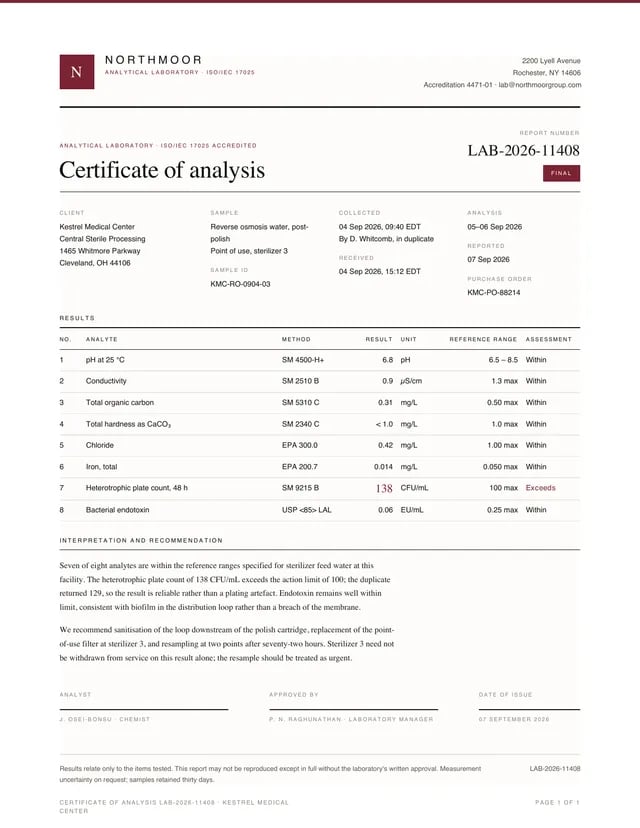
Lab Report (Certificate of Analysis)
The certificate of analysis: results against reference ranges with exactly one flagged out-of-range value — accent, bold, set larger, and captioned “Exceeds”, never colour alone.
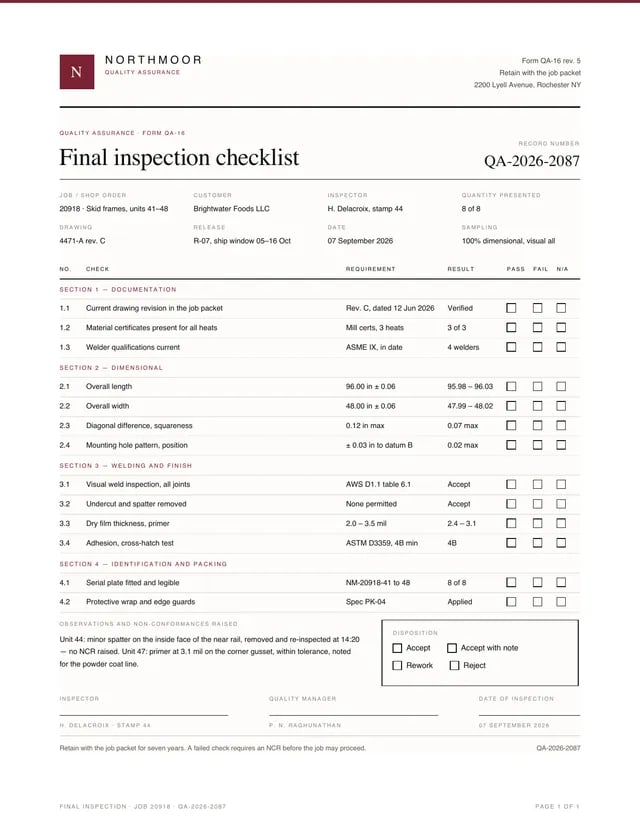
Inspection Report
The final inspection checklist, form QA-16: grouped check sections with pass/fail/N-A checkbox columns, an observations block, a disposition box, and a three-slot signature row.
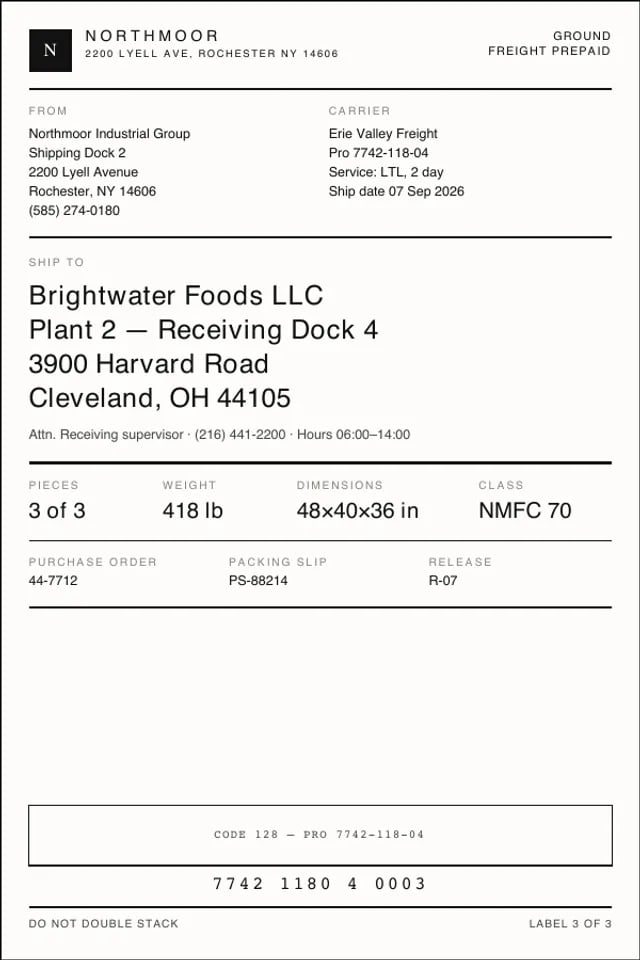
Shipping Label
The 4 × 6 in thermal shipping label: its own page size, a die-cut ink border, and pure black throughout — the one document in the set with no accent, because thermal printers have no colour to give.
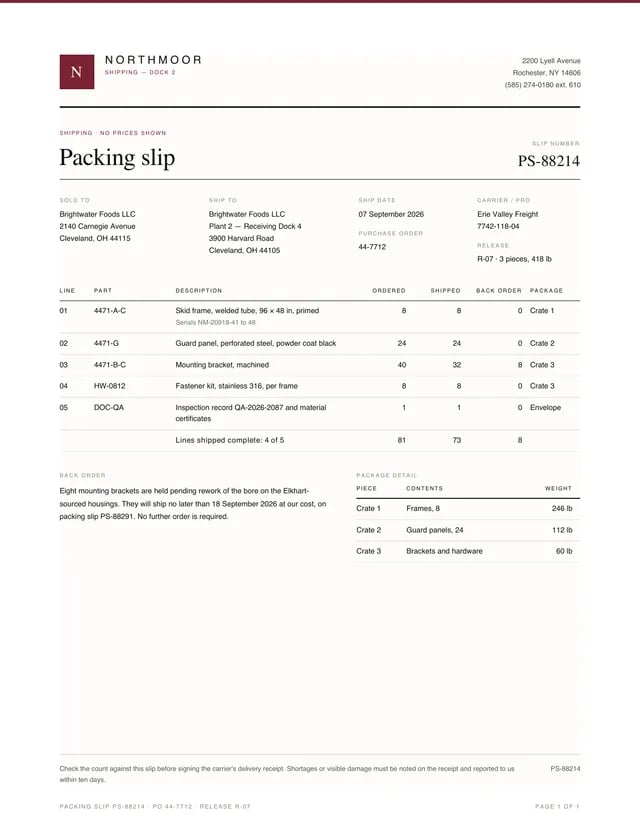
Packing Slip
The packing slip: ordered/shipped/back-order accounting with no prices shown, a back-order explanation, and per-package weights that sum to the shipment.
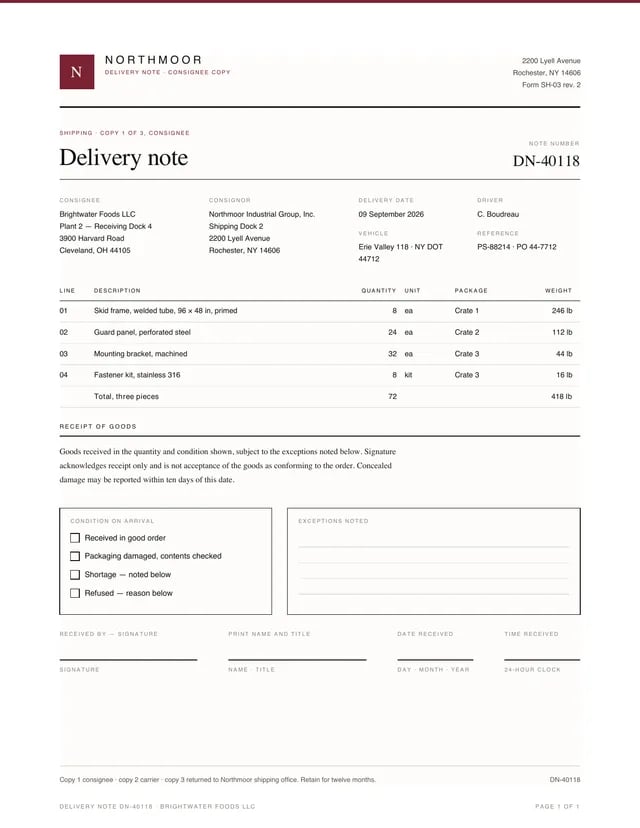
Delivery Note
The consignee’s delivery note: quantities and weights (which match the packing slip and label), a receipt-of-goods statement, condition checkboxes, exception write-in lines, and a four-slot signature row where no two captions repeat.
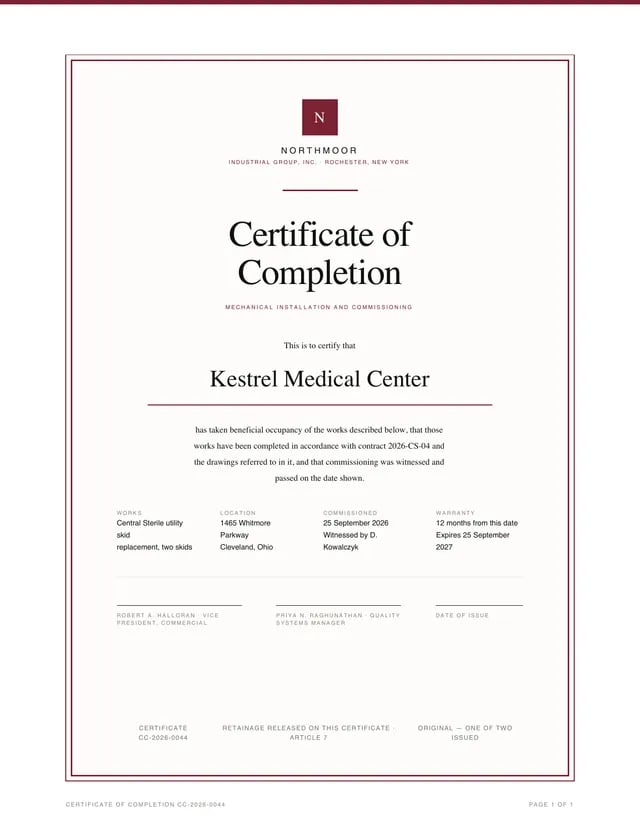
Certificate
The certificate of completion: an engraved double frame (accent outline offset around the main frame), centred Georgia setting, an accent underline beneath the recipient, and the retainage-release note that closes the INV-4421 contract chain.
Product Catalog
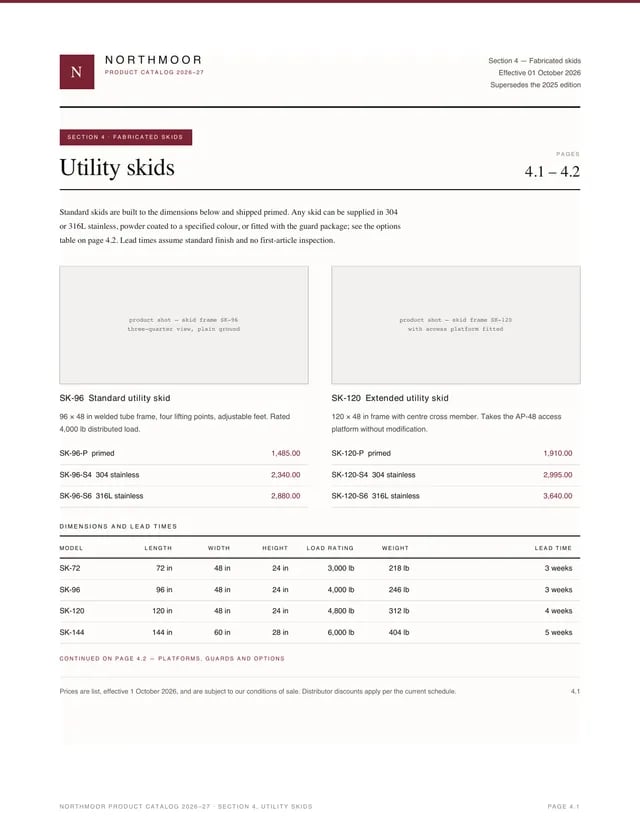
Section 4 of the product catalogue, two pages: product cards with captioned image placeholders and accent-emphasised prices, a dimensions table, and grouped options with surcharges.
Meeting Minutes
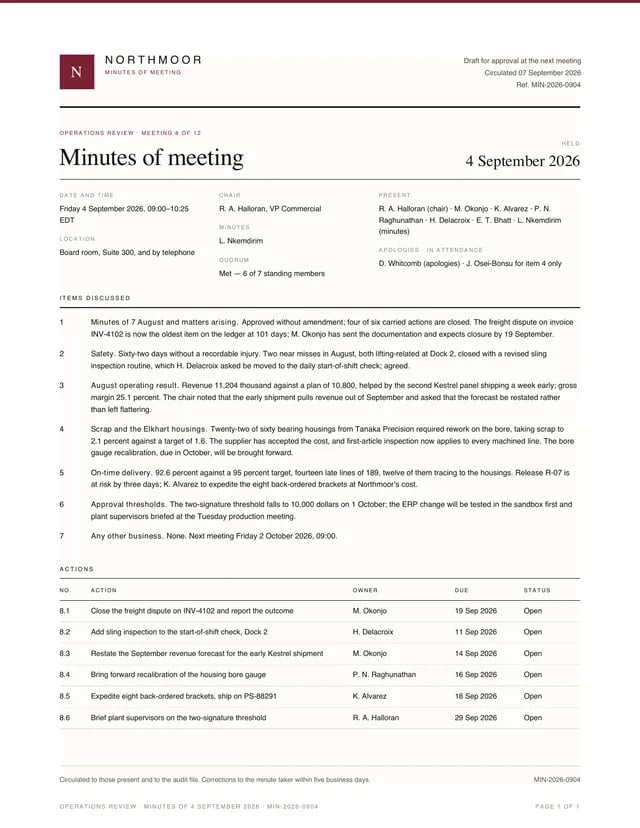
The operations-review minutes: numbered discussion items in the clause voice, then an actions table where every row has an owner, a date and a status.